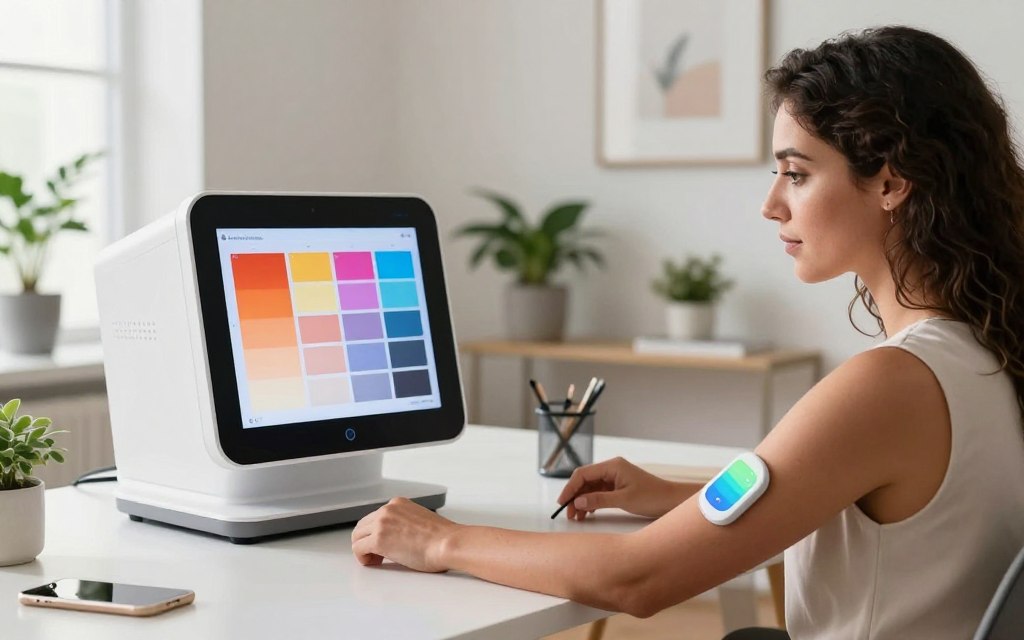

Finding your skin undertone helps you create the right look. The question, “Am I warm or cool toned?” often comes up when choosing foundation, clothes, jewelry, or hair color. Knowing your undertone makes it easier to choose colors that suit your natural beauty.
People once used several methods to identify their undertones. However, a skin undertone test can feel confusing or produce mixed results. This is where AI color analysis offers a modern and convenient option.
Your surface skin tone may change with sun exposure, but your undertone usually stays stable. This article covers traditional methods, AI technology, leading analysis tools, and factors that affect accuracy. It also discusses common mistakes, privacy concerns, and future developments.
AI can offer helpful insights, but your judgment and professional makeup advice still matter. Use an am i warm or cool toned ai result as guidance, not a final answer.
Key Takeaways
- Understanding your undertone enhances color choices for makeup and clothing.
- AI color analysis offers a modern approach to identifying undertones.
- Surface skin tone can change, but undertones usually remain consistent.
- Traditional methods can be confusing; AI simplifies the process.
- Results from AI should complement personal judgment and expert advice.
Understanding Skin Undertones: Warm vs. Cool
Learning about the warm vs cool undertone difference can improve your beauty routine. Undertones are subtle hues beneath your skin’s surface, and they affect how colors appear on you. Your visible skin tone may change with seasons or tanning, but your undertone remains constant.
Knowing whether you have a warm skin undertone or a cool skin undertone helps you make informed beauty choices.
What Defines a Warm Undertone
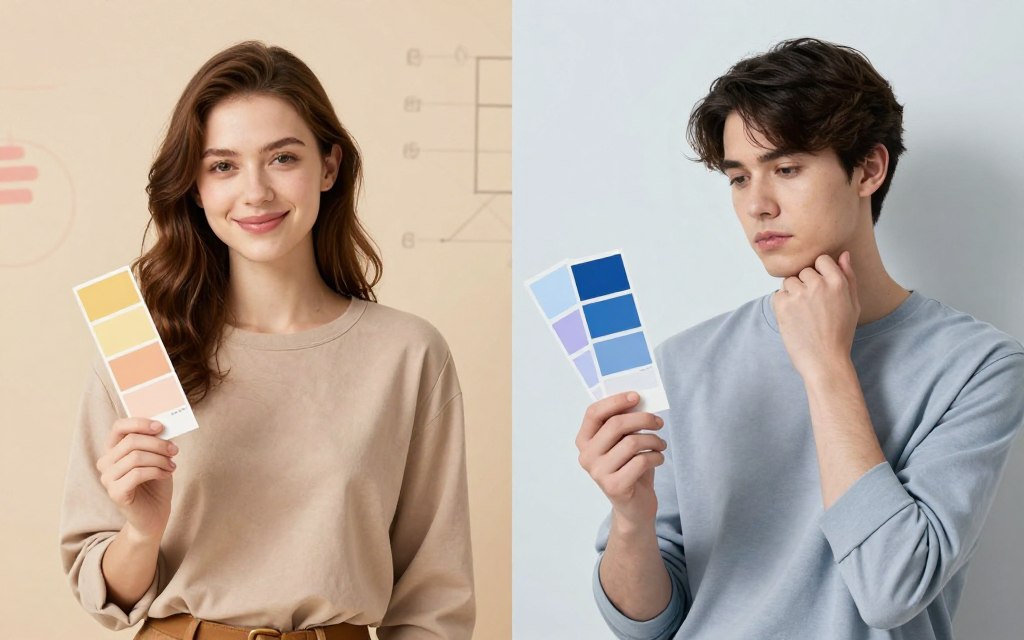
A warm undertone often shows golden, peachy, yellow, or sometimes olive hues. Your skin’s depth does not decide whether your undertone is warm. People with warm undertones often suit coral, peach, and earthy shades.
What Defines a Cool Undertone
A cool undertone features pink, rosy, red, or bluish tones. This undertone can appear across many skin depths, from fair to deep complexions. People with cool undertones often look stunning in jewel tones, such as sapphire, emerald, and rich purples.
Why Your Undertone Matters for Beauty and Fashion
Understanding your undertone helps you choose foundation, blush, and lipstick shades. It also guides metal choices: gold often suits warm undertones, while silver complements cool undertones. It can guide clothing and accessory choices, including the best colors for your skin undertone.
Lighting, product formulas, personal style, and contrast levels can affect what looks flattering. For more help identifying your skin undertones, read this informative guide on how to identify your skin undertones.
Traditional Methods to Determine Your Undertone
Many people use these trusted methods at home to learn their skin undertone. Here are three popular methods for how to determine skin undertone.
The Vein Test
To perform the vein test, examine the veins inside your wrist in natural light. Blue or purple veins suggest a cool undertone, while greenish veins suggest a warm undertone. However, this vein test undertone method can be hard with deeper skin tones or artificial light.
The Jewelry Test
The jewelry test skin undertone method compares how metals look against your skin. Gold jewelry usually suits warm undertones, while silver often flatters cool undertones. If both look good, you may have a neutral undertone, but personal style can affect your view.
The Sun Exposure Test
For a sun exposure undertone test, use the sun exposure test as another method. If you tan easily, you may have a warm undertone. Those who burn or turn pink often have cool undertones, but sun response varies widely, making this method unreliable; always protect your skin.
Limitations of DIY Methods
These traditional methods offer clues but have limits. Lighting, tanning, redness, hyperpigmentation, camera color shifts, and personal judgment can affect accuracy. For a more systematic assessment, AI technology may provide more reliable analysis, though image quality and input conditions still matter.
How AI Technology Detects Skin Undertones
AI technology is changing how we identify skin undertones. An AI undertone detector studies visual details in digital images instead of relying on personal judgment. It uses image segmentation, facial-skin detection, and color sampling.
The Science Behind AI Color Analysis
AI color analysis depends on RGB values, lighting temperature, and shadows. These factors can change how skin looks in photographs. AI tools separate these effects to show an individual’s undertone more accurately.
Machine Learning and Skin Tone Databases
Machine learning helps create reliable AI undertone detectors. Machine learning skin tone analysis uses extensive databases with varied images and labeled complexions. High-quality, diverse data improves predictions and represents different skin depths, ethnic backgrounds, redness, and hyperpigmentation.
Accuracy and Reliability of AI Undertone Detection
AI can provide fast, repeatable estimates, but it is not infallible. Lighting, white balance, camera processing, makeup, and filters can affect accuracy or change skin’s perceived color. If needed, compare results with real-world product matches or seek an in-person consultation for the most accurate undertone test.
| Factor | Impact on Detection | Considerations |
|---|---|---|
| Lighting Conditions | Affects color perception | Use natural light for best results |
| Camera Quality | Influences image clarity | Higher resolution yields better analysis |
| Makeup | Can mask true undertones | Remove makeup for accurate results |
| Filters | Alter image colors | Avoid using filters when analyzing |
Am I Warm or Cool Toned AI: Top Tools to Try
Today, am i warm or cool toned AI tools make finding your undertone easier than ever. These apps offer personal guidance for makeup, clothing, and hair colors that suit your skin tone. Below, we explore four popular tools that can help identify your undertone.
YouCam Makeup
Overview
YouCam Makeup helps users explore their YouCam Makeup undertone while testing makeup shades virtually. It lets users see how different colors may look on their skin.
Key Features
- Virtual try-on for makeup products
- Skin tone analysis to suggest suitable shades
- Photo editing capabilities for a polished look
Pros and Cons
| Pros | Cons |
|---|---|
| Interactive and user-friendly interface | Requires good lighting for accurate results |
| Wide range of makeup options | Some features may require in-app purchases |
Sephora Color IQ
Overview
Sephora Color IQ helps users find a foundation match based on their skin tone. Users can access this service in stores or online for a smooth experience.
Key Features
- In-depth color matching for complexion
- Personalized foundation recommendations
- Access to a wide range of beauty products
Pros and Cons
| Pros | Cons |
|---|---|
| Highly accurate color matching | Availability may vary by location |
| Expert advice from beauty consultants | May not provide undertone analysis directly |
MyColorAnalysis.ai
Overview
MyColorAnalysis.ai is a web-based tool that studies complexion traits and suggests personal color palettes. This AI service suits users who want a complete color analysis.
Key Features
- AI-driven color analysis
- Personalized color palette recommendations
- Easy-to-use interface for photo uploads
Pros and Cons
| Pros | Cons |
|---|---|
| Comprehensive analysis of color characteristics | Privacy terms should be reviewed before use |
| Offers a variety of color palettes | Results may vary based on photo quality |
Style My Hair by Matrix
Overview
Style My Hair by Matrix focuses on hair-color visualization and recommendations. It does not analyze undertones directly, but shows how hair colors may suit your overall look.
Key Features
- Virtual hair color try-on
- Recommendations based on personal style
- Access to a variety of hair products
Pros and Cons
| Pros | Cons |
|---|---|
| Engaging visual experience | Not a dedicated undertone detector |
| Wide range of hair color options | May not consider skin undertones |
Step-by-Step Guide: Using AI to Find Your Undertone
AI technology makes finding your skin undertone easier than before. This step-by-step guide shows how to use AI undertone analysis for accurate results. Follow each step to discover your undertone and improve your beauty routine.
Step 1: Preparing for an Accurate Scan
Start with clean, makeup-free skin for a more accurate scan. Use indirect natural daylight, a neutral background, and a natural camera distance. These choices help the camera capture your true colors.
Avoid colored lights and strong sunlight because they can distort results. Also, avoid heavy photo editing before your skin undertone photo analysis.
Step 2: Uploading Your Photo to the AI Tool
Upload your photo to the AI tool you choose. Create an account, review image permissions, and check supported file types. Make sure your photo meets the tool’s requirements.
Review the platform’s privacy policy before submitting your image. This helps protect your data while you use AI foundation matching.
Step 3: Interpreting the Results
After uploading, the AI tool analyzes your undertone. Look for labels such as warm, cool, neutral, or olive. You may also see seasonal palette categories for added insight.
To interpret AI color analysis results, remember they are not absolute. Check confidence indicators and supporting color recommendations. Use them to make informed beauty product choices.
Step 4: Applying the Results to Your Beauty Routine
Use your results to guide foundation undertone, blush, lipstick, and eyeshadow choices. Consider how they may shape clothing, jewelry, and hair color experiments.
When possible, test products on your jawline in natural light. If AI results conflict with traditional tests or personal experience, trust your instincts and adjust.
“The right colors can enhance your natural beauty, making you feel more confident and radiant.”
Comparing AI Undertone Tools: Features and Accuracy
Understanding AI undertone tools helps you choose a better beauty routine. Many tools differ in features, accuracy, and ease of use. Use these comparisons to explore free undertone analysis and find the best AI undertone tool.
Free vs. Paid AI Tools
When choosing between free and paid AI tools, consider what each one offers. Free tools often give basic undertone estimates but may lack detailed reports and customer support. A paid color analysis app may offer:
- Advanced color-season reports
- Personalized product recommendations
- Better customer support
A paid plan may provide deeper insights, but it does not guarantee greater accuracy. Check which features matter most to you.
Mobile Apps vs. Web-Based Platforms
Mobile apps and web platforms offer different benefits. Mobile apps typically provide:
- Real-time virtual try-on features
- Camera integration for quick analysis
Web platforms support careful photo analysis and often work well on larger screens. Choose an app for convenience or a web platform for a more thorough review.
Privacy and Data Considerations
Privacy matters when using an AI beauty app. Review its AI beauty app privacy details before uploading images. Check:
- If your images are stored or used to improve algorithms
- Whether they are shared with third-party providers
- How your data is protected
These checks help protect your personal information. Read the terms of service before uploading images to any platform.
| Feature | Free Tools | Paid Tools |
|---|---|---|
| Basic Undertone Estimates | ✔️ | ✔️ |
| Detailed Reports | ❌ | ✔️ |
| Product Recommendations | ❌ | ✔️ |
| Customer Support | Limited | Comprehensive |
Common Mistakes When Using AI for Undertone Analysis
Understanding undertone analysis mistakes helps you get accurate results. AI tools use advanced technology to identify skin tones, but several factors can mislead them. This guide covers common errors and ways to avoid them.
Poor Lighting Conditions
Poor AI skin analysis lighting can greatly affect your results. Warm indoor bulbs may add golden tones, while cool fluorescent lights can heighten pink or gray tones. Direct sunlight can create harsh highlights and shadows, hiding your true undertone.
Use soft, indirect daylight and a neutral background for the best results. This setup helps the AI analyze your skin tone without misleading light.
Makeup and Filter Interference
Makeup can change your complexion and make accurate AI results harder to achieve. Foundation, bronzer, blush, and self-tanner can all alter your skin’s appearance. Beauty filters and camera portrait modes may also distort makeup filter undertone results.
Submit an unedited image with little or no makeup for better accuracy. This allows the AI to study your natural skin tone.
Misinterpreting Neutral Undertones
Neutral undertone analysis can sometimes be misunderstood. A neutral result does not mean the tool failed; it may show balanced warm and cool traits. Olive undertones may also mix yellow, green, muted, or neutral qualities.
Compare multiple images and check real-world product results to clarify your undertone. Do not force yourself into a warm or cool group; accept your skin tone’s complexity.
“An unexpected result can be investigated rather than immediately dismissed.”
| Common Mistakes | Impact on Results | Recommended Actions |
|---|---|---|
| Poor Lighting Conditions | Distorts true skin tone | Use soft, indirect daylight |
| Makeup Interference | Alters complexion appearance | Submit unedited images |
| Neutral Undertone Misinterpretation | Confusion about skin tone | Compare multiple images |
Beyond Undertone: How AI Personalizes Your Beauty Routine
Artificial Intelligence (AI) is changing how we approach beauty. It does more than identify your skin undertone. It offers personalized beauty recommendations for your unique preferences and needs. AI tools help you experiment with style and make informed choices, from foundation matching to clothing suggestions.
Foundation Matching
Finding the perfect foundation can feel difficult. An effective AI foundation shade finder considers your undertone, complexion depth, finish, coverage, and brand-specific shade ranges. This creates a natural match that enhances your beauty.
Undertone is only one piece of the puzzle. Formulas can oxidize or look different on your skin type, so test before committing.
Clothing and Accessory Recommendations
AI doesn’t stop at makeup; it also reaches your wardrobe. With color palette recommendations, AI can suggest clothing and accessories that complement your skin tone. It creates palettes with neutrals, accent colors, and seasonal trends.
Your preferences and lifestyle should guide your choices. Consider workplace dress codes and cultural styles when making selections.
Hair Color Suggestions
Thinking about a new hair color? AI hair color suggestions can help you visualize different shades on yourself. These tools show options from warm and cool tones to vibrant fashion shades.
Digital previews help, but they are estimates and may not show actual results on untreated or previously colored hair. For significant changes, always consult a professional stylist.
In conclusion, AI serves as a powerful planning aid in your beauty journey. It encourages experimentation and helps you discover what works best for you. Always check product labels and seek advice from makeup artists or colorists for high-impact transformations.
The Future of AI in Personal Color Analysis
As technology evolves, personal color analysis will change in major ways. The future of AI beauty technology will improve how people detect and use color. New tools will make color choices faster, clearer, and more personal.
Emerging Technologies in Color Detection
Advanced color detection may use better image calibration and multispectral camera inputs. These tools will support more inclusive skin-tone datasets and personalized confidence scores. They may separate undertones from temporary redness or tanning, improving assessment accuracy.
Integration with AR and Virtual Try-On
Imagine testing foundation shades, lipstick, and clothing colors in real time through augmented reality. AR virtual try-on beauty tools will show products before users make a purchase. Yet, camera quality and accurate color mapping will affect how well these tools work.
Industry Adoption and Consumer Trends
Beauty retailers and cosmetics brands increasingly use AI as personal color analysis trends grow. Consumers want faster, more personal recommendations, which can reduce returns and simplify product discovery. Privacy concerns and algorithmic bias remain challenges, while human expertise and consumer choice stay vital.
“The future of beauty lies in the intersection of technology and personalization.”
For more insights into how AI transforms various industries, read this article on the role of AI in business.
Conclusion
AI tools can simplify deciding whether you are warm or cool toned. These tools offer a quick way to find your skin undertone. AI beauty analysis can help, but image quality and tool choice affect accuracy.
Knowing the difference between skin tone and undertone is crucial. Traditional methods can support AI findings for a more complete approach. Use a clear, well-lit image, choose private reputable platforms, and compare products in natural light for the best match.
Neutral and olive undertones may not fit neatly into warm or cool groups. Use AI recommendations for foundation, clothing, and hair color as inspiration, not strict rules. It quickly gives an am I warm or cool toned AI conclusion; reliable undertone results need observation and product testing.
For further insights into color psychology, consider exploring color trends and their implications. Embrace discovering your unique undertone and improving your beauty routine.


 By
By